

- The HTML structure of the page
- Objects
- Attributes (and their values)
- Elements with specific IDs
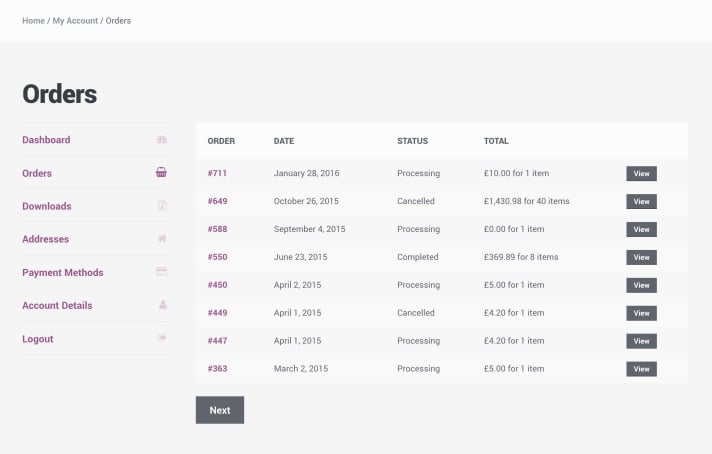
| Attribute | Example | Description | Placement & Notes |
|---|---|---|---|
data-ge-orderid | GE1584961 | The unique Global-e order identifier. This must be present and accurate for each order rendered. We highly recommend adding the GE order ID (GE1584961) and not your internal one. | <div class=“order-id” data-ge-orderid=“GE1584961”>. |
data-ge-totalamount | 168$ | The full amount paid for the order, including all applicable taxes, shipping, and duties. | Add this attribute to the element that visually presents the total amount to the shopper (e.g., <span data-ge-totalamount="168$">168$</span>). |
data-ge-order-row | (no value needed) | Marks the DOM container that encapsulates the entire row or card for a specific order. This helps Global-e parse the boundaries of each order object. | Used on the top-level HTML block for a single order. Example: <div class="order" data-ge-order-row> |

| Attribute | Example | Description | Placement & Notes |
|---|---|---|---|
data-ge-orderid | GE1584961 | The Global-e Order ID. Same as in the order list. This serves as an anchor to correlate the current page with Global-e’s data model. | <div class="order-id" data-ge-orderid="GE1584961"> |
{{data-ge-basket-cartitemid=" {CartItemId}"}} | data-ge-basket-cartitemid="1408" | The cart item ID or SKU from the order. | This attribute should be available on the container element of each product row (e.g., <div class="item" data-ge-basket-cartitemid="1408">). |
data-ge-basket-productsaleprice | 49$ | The individual product’s price in the basket (after discounts). | Place on the element displaying the per-item price. Use raw numeric format without symbols for easy parsing. |
data-ge-shippingprice | 12$ | The shipping cost applied to this order. | Apply to the element containing the shipping price. |
data-ge-subtotal | 24$ | The subtotal amount before duties and shipping. | Apply to the element containing the subtotal price. |
data-ge-total | 36$ | The total final amount the customer paid. | Apply to the element containing the total price. |
data-ge-duties | 12$ | The duties and taxes included in the total. | Apply to the element containing the duties paid by the customer. |
data-ge-paymentmethod | visa | The payment method used by the customer. | Apply to the element containing the duties paid by the customer. |
- Static Rendering Preferred: These attributes should be rendered into the DOM on initial page load (SSR or CSR) and be available before the Global-e integration script is executed.
- Avoid Obfuscation: Do not mask, transform, or dynamically hide these attributes via JavaScript or CSS.
- Error Handling: Ensure values are not empty or malformed. If values are unavailable, consider hiding the MyAccount integration until valid data can be displayed.